

I. Overview
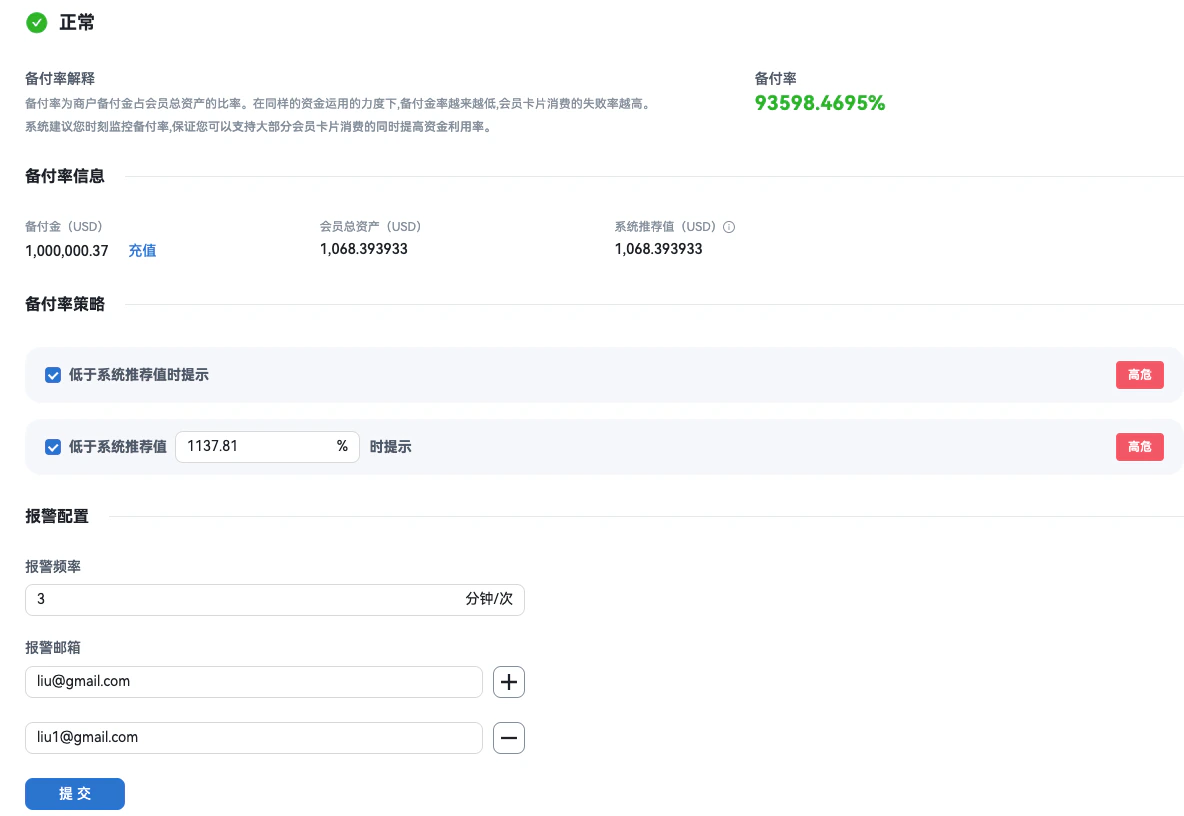
Merchants with custody fund licenses can manage their own reserve fund and do not need the platform to manage it for them.Terminology
- Reserve fund: Funds used for cardholder spending, card issuance, and unified logistics payouts; managed by the merchant.
- Reserve ratio: Reserve fund ÷ total member assets; used to measure funding coverage and transaction success rate.
- Total member assets: Total value (USD) of digital assets held by members.
II. Operations
2.1 Reserve fund top-up
Ensure the reserve fund account has sufficient balance before cardholder spending; otherwise transactions will fail.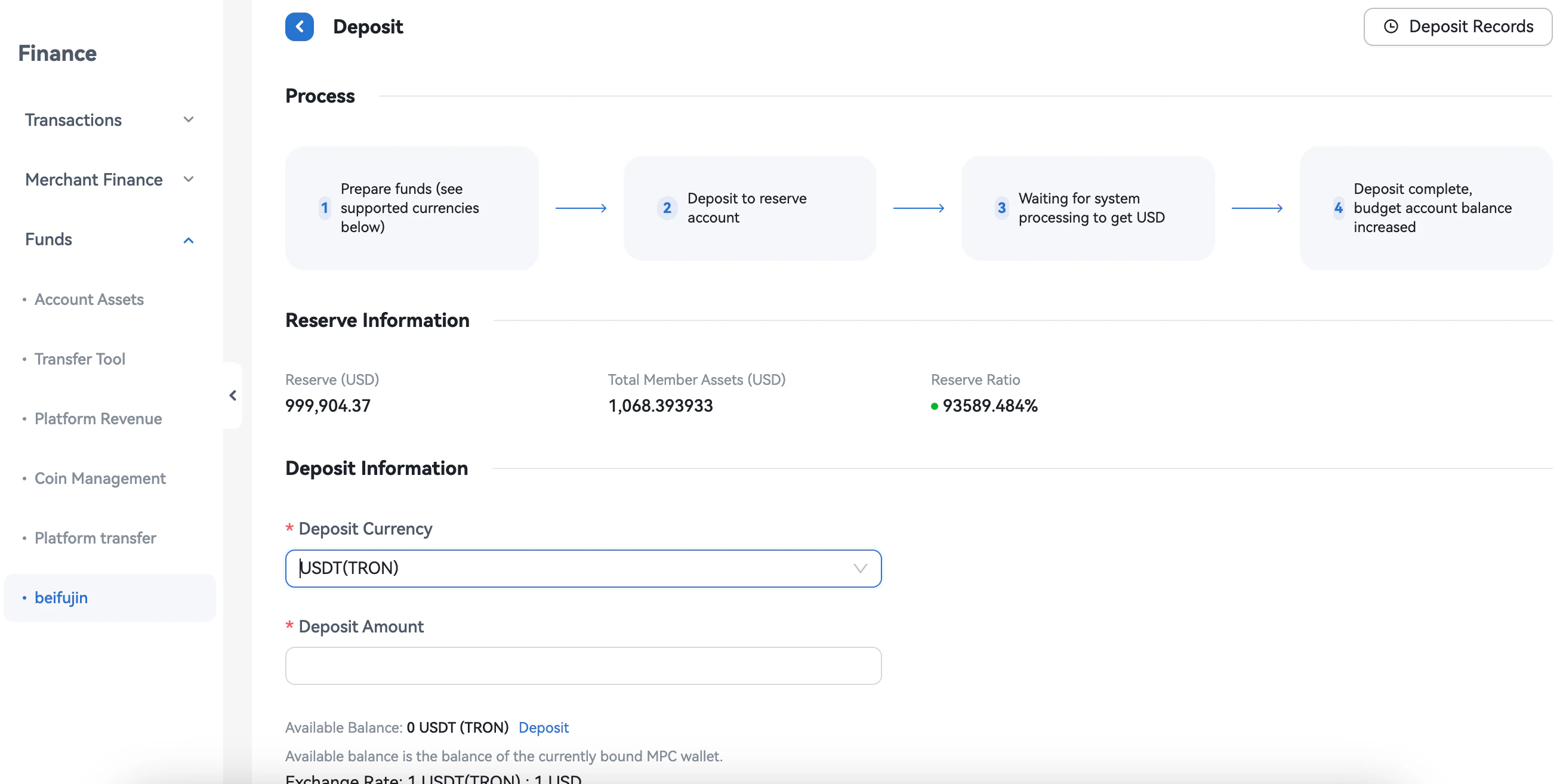
- Method: External wallet address
1
Select deposit token
On the top-up page, select a token (e.g. USDT); the deposit details for that token are then shown.
2
Fees and estimated amount
- Fee: The fee for this deposit; the actual credited amount is the deposit amount minus the fee.
- Estimated credited amount: Deposit amount − fee; the final amount is calculated using the exchange rate.
3
Submit and get receive address
After clicking Submit, the system shows the receive address for the selected token; the user sends funds from an external wallet to this address to complete the deposit.
4
Check result
Click View result to go to the Deposit records page to see the status and credited amount; settlement may take some time.
- Method: MPC wallet (bound) (Coming soon)
1
Select deposit token
On the top-up page, select a token (e.g. USDT); the deposit details for that token are then shown.
2
Confirm MPC balance
Confirm that the MPC wallet has sufficient balance.
3
Fees and estimated amount
- Fee: The fee for this deposit; the actual credited amount is the deposit amount minus the fee.
- Estimated credited amount: Deposit amount − fee; the final amount is calculated using the exchange rate.
4
Submit and authorize MPC transfer
After authorization, the system initiates the deposit.
5
Check result
Click View result to go to the Deposit records page to see the status and credited amount; settlement may take some time.
2.2 Reserve fund withdrawal
1
Initiate withdrawal and confirm address
Enter withdrawal amount, receive address, etc., and click Initiate withdrawal.
2
Fees and estimated amount
- Fee: The fee for this withdrawal; the actual received amount is the withdrawal amount minus the fee.
- Estimated received amount: Withdrawal amount − fee; the final amount is calculated using the exchange rate.
3
Platform review
The withdrawal request goes to Reserve fund withdrawal review. After approval, the system executes the withdrawal.
4
Digital asset receive address
If the MPC wallet address is available it is shown; otherwise the field is empty and the user can click Change address to enter a receive address.